

Config
The Config (JP: せってい) menu is where the player can modify game settings for Deltarune. It is only accessible through the Dark World menu, and is the rightmost option with the wrench icon.
The Master Volume is a setting that changes the volume of all in-game audio. It can be changed to any even integer percentage between 0% and 100% volume. The default value is 60%.
The Controls option brings the player to a different sub-menu where all of the controls can be remapped. There are seven different remappable controls followed by an exit option and an option to reset to default bindings.
These are the default bindings:
| Function | Key | Switch | PlayStation | |
|---|---|---|---|---|
| DOWN | DOWN Button | |||
| RIGHT | RIGHT Button | |||
| UP | UP Button | |||
| LEFT | LEFT Button | |||
| CONFIRM[1] | Z, Enter | A, ZL | X, L2 | |
| CANCEL[2] | X, Shift | B | O | |
| MENU[3] | C, Ctrl | X | Triangle | |

By default, the left trigger functions as an input for Confirm despite not appearing as such in the menu. It can be used alongside what is chosen in the menu. If the gamepad input for Confirm is manually rebound to its default (without using the "Reset to default" option) the left trigger's functionality goes away, and it cannot be used for Confirm unless it is manually bound to Confirm or the controls are reset to default.
At the start of a Chapter, certain characters may remind of the option to run.[4]
Simplify VFX simplifies the game's visual effects, possibly in order to improve performance on computers with less graphical capability, or reduce eye strain/motion sickness. It is off by default.
Below are the effects affected by this setting:[5]
- Slows down the initial slide into Castle Town by reducing the vertical speed of the background elements.
- Disables the background spinning carousel animation in Jevil's arena.
- Slows down forcefields' animation.
- Disables floating signs' glowing.
- Disables the impact animation and sound of the beat bullets in Cyber Field.
- Turns the firework bullets in the Cyber City Heights white.
- Dulls the warning flash brightness of the Queen paintings in Queen's Mansion.
- Disables flickering and slows down shaking during Spamton NEO's defeat animation if he is defeated by violence outside the Weird Route.
- Disables the background scrolling floor effect during GIGA Queen's boss fight.
- However, the scrolling buildings in this fight are not disabled.
- Reduces the animation speed of the Shuttah's hand in the couch cliffs.
- Disables the White Cloak's color effect when she attacks or is attacked.
- Disables the Dark World textbox corners' glowing.
- Removes the gradient-like effect on yellow text.
Fullscreen, when toggled, switches the game between full screen and windowed mode. This can also be toggled at any time by pressing F4/Alt+Enter on a keyboard.[6] This option is not available for console versions.
Borders are optional and exclusive to console versions of Deltarune. It is set to "Dynamic" by default, which changes the border based on Kris's current location. In Chapter 1, the border cannot be changed until Kris enters Castle Town. The borders were illustrated by Temmie Chang.[7]
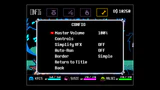 Simple Border, which can be toggled on
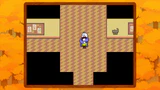 Dynamic Border for Hometown at daytime
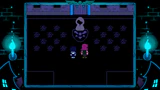 Dynamic Border for Castle Town and Card Kingdom
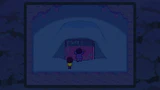 Dynamic Border for Hometown at night, used in Chapter 3 and Chapter 4


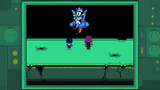 Dynamic Border for Cyber Field
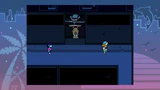 Dynamic Border for Cyber City
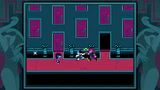 Dynamic Border for Queen's Mansion


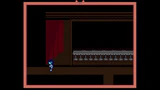
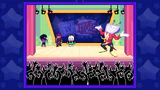
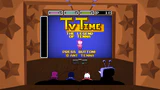 Dynamic Border for The Legend of Tenna segments
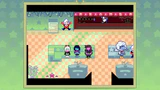 Dynamic Border for the Green Room
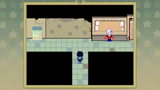 Dynamic Border for the S-rank changing room
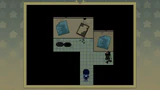 Dynamic Border for the Z-rank changing room
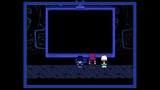 Dynamic Border for the parental lock rooms
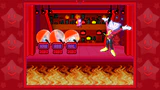 Dynamic Border for TV Time's Round 3
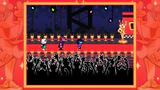 Dynamic Border for TV World after escaping from Tenna
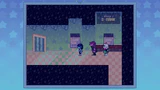 Dynamic Border for the cold version of the Green Room


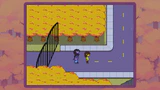 Dynamic Border for Hometown in the rain
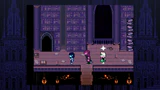 Dynamic Border for the Dark Sanctuary
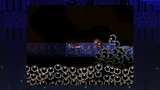 Dynamic Border for the 2nd Sanctuary
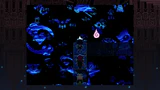 Dynamic Border for the 3rd Sanctuary
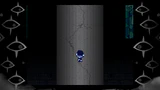 Dynamic Border after the Titan is formed. In-game, this border is animated, with the pupils of the eyes fading in and out.
 Dynamic Border for when the Titan is damaged during the battle. In-game, this border is animated, with the pupils glowing red momentarily then fading back to their normal gray.


Auto-Run, when turned on, makes Kris run automatically and the run button (also the CANCEL Button) will instead slow them down.
- There are several unused settings present in the game's files.
- In addition to the Master Volume, the SFX Volume and Music Volume could also be changed individually, with default values of 100%[8] and 85%[9] respectively.
- Screen shakes could be disabled.[10]
- The options selected during a character's turn in battle could be preserved into their next turn.[11]
- An alternate method of attacking where each character used their own button to attack could selected. The first party member would use CONFIRM, the second party member would use CANCEL, and the third party member would use MENU.[12]
- ↑
Confirm and interact with things.
— Open manual in Castle Town, on "Controls", Chapter 2 - ↑
Cancel. Hold to RUN. Shows all text instantly.
— Open manual in Castle Town, on "Controls", Chapter 2 - ↑
Opens the menu. Hold down to quickly skip textboxes.
— Open manual in Castle Town, on "Controls", Chapter 2 - ↑
You can run on the overworld by holding the cancel button.
— DELTARUNE GAMEPLAY REMINDER CHEAT SHEET (Fox, Toby, June 01, 2025.) deltarune.com.
If you forget this, the characters will usually remind you at the beginning of the Chapter. - ↑ So, what does SIMPLIFY VFX do? on YouTube
- ↑
On PC, pressing F4 makes the game go full screen.
— DELTARUNE GAMEPLAY REMINDER CHEAT SHEET (Fox, Toby, June 01, 2025.) deltarune.com. - ↑
oh btw i drew borders for this and such like featured here🚴♀️
— Temmie Chang (@tuyoki) on Twitter, February 15, 2019. - ↑ gml_globalscript_scr_gamestart script, line 261, Chapter 1
- ↑ gml_globalscript_scr_gamestart script, line 262, Chapter 1
- ↑ TCRF Deltarune - Disable Screen Shake
- ↑ TCRF Deltarune - Battle Cursor Memory
- ↑ TCRF Deltarune - Alternate Attack Mode